

Ufone offers different WhatsApp and internet packages to help users stay connected at affordable rates. However, sometimes you may activate a daily WhatsApp package and later decide that you no longer need it. You may want to save your mobile balance, switch to a weekly or monthly package, or simply use another internet connection.
In this guide, you will learn how to unsubscribe Ufone Daily WhatsApp Package in a simple and easy way. We will explain how to check your active package, find the correct unsubscribe method, confirm successful deactivation, and solve common problems. Since Ufone package codes and rules can change, it is always a good idea to verify the latest information before unsubscribing.
What Is the Ufone Daily WhatsApp Package?
The Ufone Daily WhatsApp Package is a mobile data offer designed for users who mainly use WhatsApp. It allows eligible Ufone customers to use WhatsApp services according to the data allowance and validity provided with the selected package.
For many people, WhatsApp is an important part of daily communication. Users send text messages, voice notes, photos, videos, and documents to stay connected with family, friends, classmates, and colleagues. A daily WhatsApp package can be useful for people who need internet access for WhatsApp but do not want to purchase a larger internet bundle. How To Unsubscribe Ufone Daily Whatsapp Package
How Does a Daily WhatsApp Package Work?
After activating a daily WhatsApp package, the user receives the package benefits for the stated validity period. The available data can be used for supported WhatsApp services according to Ufone’s package terms. How To Unsubscribe Ufone Daily Whatsapp Package
When the package validity ends or the available data is consumed, the package benefits may no longer be available. Depending on the offer and current terms, the user may need to activate the package again or choose another internet bundle.
Why Do Users Subscribe to a Daily WhatsApp Package?
Many Ufone users choose daily WhatsApp packages because they are suitable for short-term internet needs. Someone who only needs WhatsApp for a limited time may find a daily package more convenient than buying a larger monthly bundle.
These packages can be useful for messaging, staying in touch with family, participating in group conversations, and sharing important information throughout the day.
Why Do Users Want to Unsubscribe?
Sometimes a user may no longer need the package. For example, they may have access to Wi-Fi, want to switch to a weekly or monthly package, or prefer a general internet bundle that works with all applications.
Some users also want to unsubscribe because they do not want the package to renew again, depending on the package’s current rules. This is why understanding how to unsubscribe Ufone Daily WhatsApp Package is important.
Check Your Active Package First
Before trying to unsubscribe, make sure you know which Ufone package is currently active on your SIM. Ufone can offer different WhatsApp and social bundles, and each package may have different activation, validity, and deactivation rules.
You can check your active bundles through official Ufone channels, such as the My Ufone App or other available account management options.
Important Things to Remember
Before deactivating any package, check its remaining validity, available data, and renewal terms. This will help you understand whether you need to unsubscribe immediately or simply wait for the package to expire.
Since Ufone package details, codes, prices, and terms may change over time, it is always best to confirm the latest information through official Ufone sources before taking action. How To Unsubscribe Ufone Daily Whatsapp Package
Why Do You Need to Unsubscribe From the Package
There are several reasons why a Ufone user may want to unsubscribe from a daily WhatsApp package. Although these packages can be useful for short-term communication, they may not always be the best option for every user. Understanding your reason for deactivation can also help you choose a better package for your future internet needs.
To Avoid Unwanted Balance Deductions
One of the most common reasons for unsubscribing is to avoid future balance deductions. Some packages may have renewal conditions, so users should check the package terms and decide whether they want to continue using the offer.
If you no longer need the package, using the correct method for how to unsubscribe Ufone Daily WhatsApp Package can help you manage your mobile balance more carefully. How To Unsubscribe Ufone Daily Whatsapp Package
To Switch to a Better Internet Package
A daily WhatsApp package may not provide enough data for users who also want to browse websites, watch videos, use social media, or access other apps. In this situation, switching to a weekly or monthly internet package may be a better choice.
A larger package can sometimes provide more flexibility, especially for people who use mobile internet throughout the day.
When You No Longer Use WhatsApp Frequently
If you do not use WhatsApp regularly, there may be no reason to continue using a separate WhatsApp package. You can unsubscribe and only activate an internet bundle when you actually need one. How To Unsubscribe Ufone Daily Whatsapp Package
This can be a simple way to avoid spending balance on services you rarely use.
When You Have a Wi-Fi Connection
Many users have access to Wi-Fi at home, work, or school. If you mostly use WhatsApp through Wi-Fi, a separate mobile WhatsApp package may no longer be necessary. How To Unsubscribe Ufone Daily Whatsapp Package
In this case, unsubscribing from the daily package can help you simplify your mobile subscriptions.
To Better Manage Your Mobile Expenses
Small daily charges can add up over time. By checking your active packages and removing offers you no longer need, you can have better control over your mobile expenses. How To Unsubscribe Ufone Daily Whatsapp Package
It is always helpful to review your active Ufone packages regularly and choose bundles based on your actual internet usage.
How to Unsubscribe Ufone Daily WhatsApp Package
If you no longer want to use your Ufone daily WhatsApp package, the first step is to identify the exact package currently active on your number. Ufone may offer different WhatsApp and social bundles, and the unsubscribe method can vary depending on the specific package. How To Unsubscribe Ufone Daily Whatsapp Package
Check Your Active Package First
Before trying any unsubscribe code or method, check whether the package is still active. You can use the My Ufone App or another official Ufone account management option to view your active bundles.
This step is important because you may have subscribed to a different WhatsApp or social package than you originally expected.
Use the Correct Unsubscribe Method
After identifying your active package, use the official unsubscribe method provided for that offer. Some packages may have a specific USSD code, while others may be managed through the My Ufone App.
Always make sure you are using the latest unsubscribe method because telecom package codes and rules can change.
Follow the Instructions Carefully
If you are using a USSD code, enter the correct code in your phone dialer and follow the instructions displayed on your screen. Read each option carefully before confirming the cancellation. How To Unsubscribe Ufone Daily Whatsapp Package
If you are using the My Ufone App, open the active bundles section and look for an option to manage or deactivate the package.
Wait for a Confirmation Message
After completing the unsubscribe process, wait for a confirmation SMS from Ufone. This message can help confirm that your request was successfully processed.
If you do not receive a confirmation, check your active package status again through the My Ufone App or an official Ufone service.
Verify That the Package Is No Longer Active
Do not assume that the package has been cancelled until you confirm its status. Check your active bundles after receiving the confirmation message to make sure the daily WhatsApp package is no longer active. How To Unsubscribe Ufone Daily Whatsapp Package
If the package still appears active or you are facing any problem, contact Ufone customer support for further assistance.
Important Reminder
Always use official Ufone channels to manage or unsubscribe from your packages. Avoid using unverified codes or information from outdated sources, as incorrect methods may not work or could activate a different service. How To Unsubscribe Ufone Daily Whatsapp Package
Ufone Daily WhatsApp Package Unsubscribe Code
Many users search for the Ufone Daily WhatsApp Package unsubscribe code because using a code can be a quick way to manage an active package. However, it is important to know that the correct unsubscribe method can depend on the exact Ufone WhatsApp or social bundle you have activated.
Why the Unsubscribe Code Can Be Different
Ufone offers different daily, weekly, and monthly packages. Some offers may have separate activation and deactivation methods, while others may simply expire automatically after their validity period.
For this reason, you should first check the exact name of your active package before using any unsubscribe code.
How to Find the Correct Unsubscribe Code
The safest option is to check the latest package information through official Ufone channels. You can use the My Ufone App, contact Ufone customer support, or visit the official Ufone website to confirm the current deactivation method. How To Unsubscribe Ufone Daily Whatsapp Package
Be Careful With Old Codes
Many websites share old package codes that may no longer work. Using an outdated code can cause confusion and may not unsubscribe your package successfully. How To Unsubscribe Ufone Daily Whatsapp Package
Always verify that the code matches your exact active package and is currently supported by Ufone.
What If There Is No Unsubscribe Code?
Some daily packages may not require a separate unsubscribe process. They may simply expire after their stated validity period and stop automatically according to the package terms. How To Unsubscribe Ufone Daily Whatsapp Package
Therefore, if you cannot find an official unsubscribe option, check the package validity and renewal rules before taking further action.
Confirm the Unsubscription
After using any official unsubscribe method, wait for a confirmation message. You should also check your active packages again to make sure the daily WhatsApp package has been successfully deactivated. How To Unsubscribe Ufone Daily Whatsapp Package
For accurate and updated information, always confirm package details through Ufone’s official website before using an unsubscribe code.
How to Unsubscribe Through the My Ufone App

Another convenient way to manage your Ufone packages is through the official Ufone app. The app can help you check your subscribed products, available resources, and other account details.
Open the Ufone App
First, download and open the official Ufone app on your smartphone. Log in using your Ufone mobile number and complete the verification process if required.
Check Your Active Packages
After logging in, look for the section that displays your active bundles or subscribed products. This will help you identify whether your daily WhatsApp package is currently active. How To Unsubscribe Ufone Daily Whatsapp Package
Find the WhatsApp Package
Locate the WhatsApp or daily social package that you want to manage. Check its details, including the remaining resources and validity period.
Look for a Manage or Unsubscribe Option
If the app provides an option to manage or deactivate the package, select it and carefully follow the instructions on the screen. Confirm your request before completing the process. How To Unsubscribe Ufone Daily Whatsapp Package
Confirm the Package Status
After submitting your request, check for a confirmation message or review your active bundles again. This can help you confirm whether the package has been successfully removed or whether it will simply expire at the end of its validity. How To Unsubscribe Ufone Daily Whatsapp Package
Another Official Way to Get Help
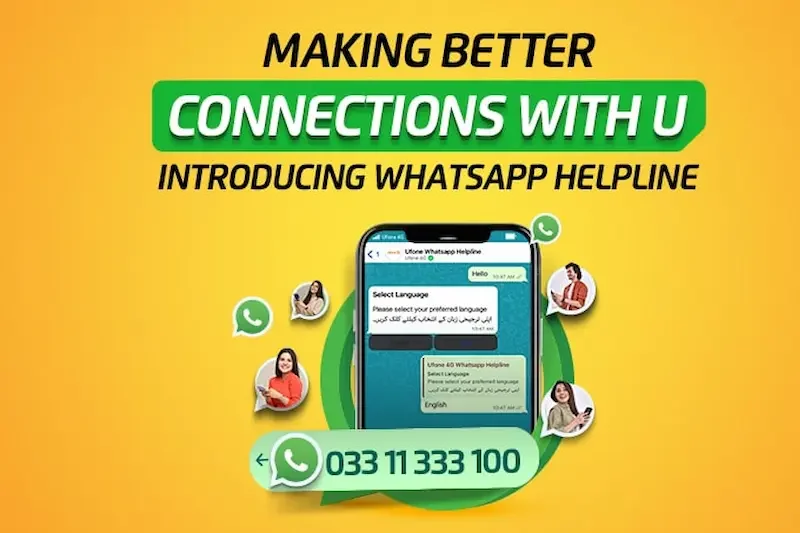
If you cannot find an unsubscribe option, Ufone’s official WhatsApp self-service can show subscribed products and other account information. You can also contact Ufone customer care at 333 from a Ufone number for assistance. How To Unsubscribe Ufone Daily Whatsapp Package
Remember that Ufone’s current Unlimited WhatsApp Offer is listed as auto-recursive, and Ufone states that users can dial *6300# to unsubscribe from that specific offer. Always make sure the code matches your exact active package before using it.
How can I unsubscribe from the Ufone Daily WhatsApp Package?
The unsubscribe method depends on the exact Ufone WhatsApp package you have activated. First, check your active package and then use the correct official deactivation method provided by Ufone.
What is the Ufone Daily WhatsApp Package unsubscribe code?
The unsubscribe code can vary depending on the specific package. Always verify the latest code through official Ufone channels before using it.
Can I unsubscribe through the My Ufone App?
Yes, you can check your active packages through the My Ufone App. If your package has a manage or unsubscribe option, you may be able to deactivate it directly from the app.
Conclusion
Knowing how to unsubscribe Ufone Daily WhatsApp Package can help you manage your mobile services and avoid keeping a package that you no longer need. The first step is to check which WhatsApp or social package is active on your Ufone number and then use the correct official method to manage or deactivate it.
You can check your active bundles through the My Ufone App or other official Ufone services. After submitting an unsubscribe request, always confirm that the package has been successfully removed or check whether it will simply expire automatically after its validity period.
Before using any unsubscribe code, make sure it applies to your exact package because Ufone offers different bundles with different rules. If you face any problem, contact official Ufone customer support for accurate assistance.
By following the correct steps, you can easily manage your Ufone packages, control your mobile balance, and choose a better internet bundle according to your daily needs.