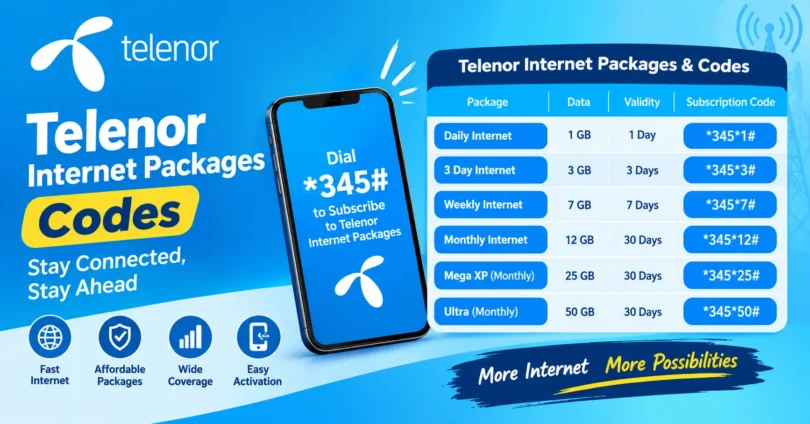

Telenor users in Pakistan can choose from daily, weekly, and monthly internet packages according to their data needs and budget. Whether you need internet for WhatsApp, Facebook, YouTube, browsing, or everyday online activities, knowing the correct activation code can help you subscribe quickly.
This guide covers Telenor internet packages codes, popular data offers, package validity, and useful codes for checking your remaining MBs. Package prices, data limits, and availability can change, so confirm the latest details before subscribing.
Quick Answer: Telenor Internet Package Codes
Here are some commonly reported Telenor internet and self-service codes for Pakistan. Availability and charges may vary by offer and SIM.
| Purpose or package | Code |
| Open the Telenor offers menu | *345# |
| Daily Offpeak Offer | *10# |
| Raat Din Internet Offer | *150# |
| 4G 3 Day Bundle | *32# |
| 4G Weekly Internet Max | *19# |
| 4G Weekly Super | *288# |
| Check remaining internet MBs | *999# |
| Check remaining minutes | *222# |
| Check remaining SMS | *111# |
| Check active offers and services | *710# |
These codes may change or become unavailable. Verify the package details through Telenor’s offers menu or the My Telenor app before subscribing.
Daily Telenor Internet Packages
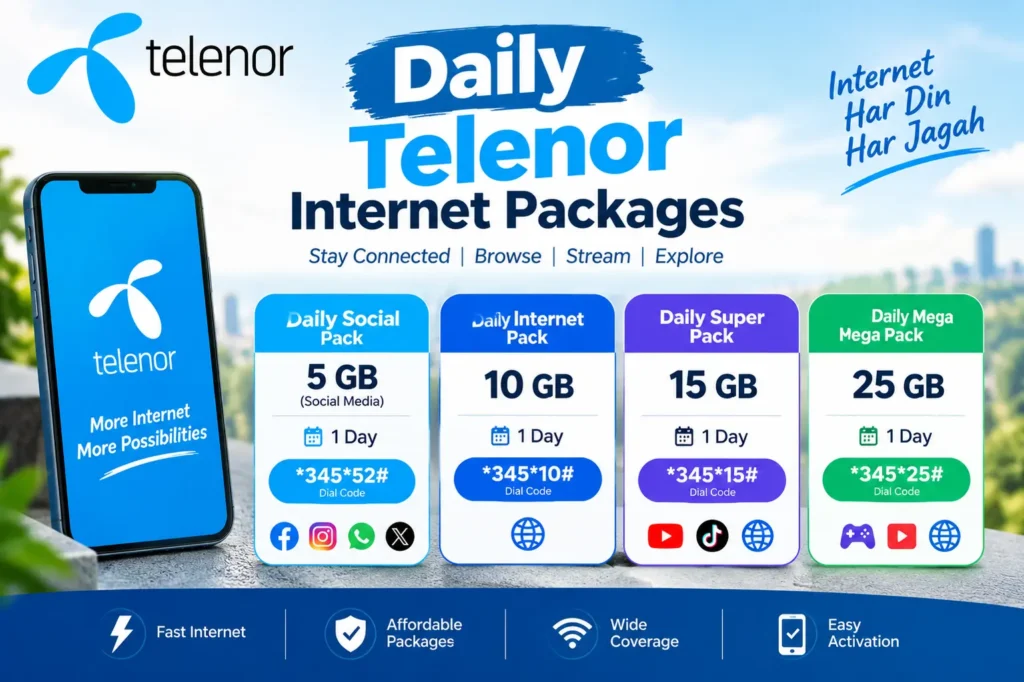
Daily internet packages are useful when you need data for a few hours or one day. They can be suitable for browsing, messaging, checking social media, and other light internet activities.
| Package | Reported internet allowance | Validity | Code |
| Daily Offpeak Offer | 1.5 GB | Limited hours | *10# |
| Raat Din Offer | 1.5 GB | Midnight to noon | *150# |
| 4G 3 Day Bundle | 1 GB | 3 days | *32# |
Package details, prices, and usage restrictions should be confirmed before activation. Some offers provide data only during specific hours.
You may also like it:
Zong Call Packages 2025 – Best Daily & Hourly Offers
Zong Weekly Whatsapp Package | Affordable 7-Day Offer
Zong WhatsApp Package Weekly – Price, Code & Details 2025
Best Zong WhatsApp Package – Daily, Weekly & Monthly Plans
1. Daily Offpeak Offer
The Daily Offpeak Offer is designed for users who need internet during specific hours. It may be useful for browsing, messaging, and other online activities when the package is available.
Before subscribing, check the exact usage hours, data allowance, and price displayed by Telenor.
2. Raat Din Internet Offer
The Raat Din offer is an option for users who use the internet late at night or in the morning. Some package listings report 1.5 GB of data, valid from midnight until noon, through *150#.
This package may suit users who download files or browse during its permitted hours. Check the activation message for the latest details.
3. 4G 3 Day Bundle
If one day of internet is not enough, the 4G 3 Day Bundle may be worth considering. Some listings report 1 GB of data for three days using *32#.
Check whether the data is divided between daytime and nighttime usage before purchasing.
Weekly Telenor Internet Packages
Weekly packages can be useful if you regularly use mobile internet but do not want to subscribe to a monthly offer. Telenor offers different data bundles, including packages with time restrictions.
| Package | Reported data allowance | Validity | Code |
| 4G Weekly Internet Max | 30 GB | 7 days, midnight to 9 AM | *19# |
| 4G Weekly Super | 4 GB | 7 days, with possible time restrictions | *288# |
| Weekly 6 to 6 | 5 GB | 7 days, 6 AM to 6 PM | *71# |
| Weekly Social Pack | Social-app data | 7 days | Check current offers |
These are reported package details, not guaranteed current offers. Confirm the latest prices, codes, and data allowances before subscribing.
1. 4G Weekly Internet Max
This offer has been listed with a large data allowance for nighttime use. It may be useful if you prefer downloading files, watching videos, or updating apps overnight.
Remember that nighttime data usually cannot be used outside the package’s permitted hours.
2. 4G Weekly Super
The 4G Weekly Super package is another option for people who want internet access over seven days. The reported activation code is *288#.
Check the package information carefully because some data may be available only during specific hours.
3. Weekly Social Packages
Social bundles are designed for people who mainly use selected apps, such as WhatsApp or Facebook. They may be more affordable than general internet packages if your usage is limited to supported applications.
Always check which apps are included. Data used by other apps or external links may come from a separate internet balance.
Monthly Telenor Internet Packages
Monthly packages are generally suitable for users who need internet throughout the month. They can be helpful for students, office workers, social media users, and people who regularly browse websites or stream videos.
Telenor’s available monthly offers and prices can change, so check the current menu rather than relying on an old activation code.
To find a suitable monthly offer:
- Dial *345# from your Telenor SIM.
- Open the internet or data bundles section.
- Select a monthly package.
- Review its data allowance, price, and validity.
- Confirm the subscription after checking the details.
You can also check the My Telenor app for offers available on your number.
Telenor Social Internet Packages
If you mainly use social media, a social bundle may be enough for your daily needs. These packages can provide data for supported apps without requiring you to buy a larger general internet bundle.
Common uses include:
- Sending messages and voice notes on WhatsApp.
- Browsing Facebook.
- Sharing photos and updates on supported social platforms.
- Staying connected with friends and family.
However, not every social package includes the same apps or features. Video calls, external links, and other activities may consume regular internet data. Read the package conditions before subscribing.
How to Activate a Telenor Internet Package
Activating a Telenor package is usually straightforward when you have sufficient balance and the correct code.
- Check your balance. Make sure your SIM has enough credit to cover the package price and any applicable charges.
- Dial the activation code. Enter the code for your chosen package from your Telenor SIM.
- Follow the instructions. If a menu appears, select the package you want and confirm your choice.
- Wait for confirmation. Check the SMS confirming that the package has been activated.
- Check your data balance. Use *999# to check your remaining internet MBs.
If a code does not work, open the *345# menu or use the My Telenor app to check whether the offer is still available.
How to Check Remaining Telenor Internet MBs
You should check your remaining MBs regularly to avoid running out of data unexpectedly.
Follow these steps:
- Open your phone’s dialer.
- Enter *999#.
- Press the call button using your Telenor SIM.
- Follow the on-screen instructions, if shown.
The service may have a small inquiry charge. You can also check data usage and package details through the My Telenor app.
Useful Telenor Codes
Apart from internet activation codes, these self-service codes can help you manage your SIM.
| Service | Code |
| Offers and bundles menu | *345# |
| Self-service menu | *710# |
| Remaining internet MBs | *999# |
| Remaining minutes | *222# |
| Remaining SMS | *111# |
| Customer helpline | 345 |
Some inquiry services may charge a fee. Check the instructions displayed on your phone before proceeding.
Why Is Your Telenor Internet Package Not Activating?
Sometimes an internet package may fail to activate. Here are some common reasons and possible solutions.
Insufficient Balance
Your balance may be lower than the amount required for the package. Recharge your SIM and try again after checking the current price.
Incorrect Activation Code
An old or incorrect code may not work. Open the *345# menu or My Telenor app to find the latest available offer.
Package Is No Longer Available
Telecom operators can update, replace, or discontinue packages. If an offer no longer appears in the menu, choose an available alternative.
Network or SIM Issue
A temporary network problem may prevent a subscription request from completing. Try again after a short wait and check whether you receive a confirmation SMS.
If your balance is deducted but the package does not activate, contact Telenor customer support.
Frequently Asked Questions
1. What is the Telenor internet package code?
You can dial *345# to open Telenor’s offers menu and browse available internet packages. Individual bundles may have their own activation codes.
2. How can I check my remaining Telenor MBs?
Dial *999# from your Telenor SIM to check your remaining internet data. The inquiry may carry a small charge.
3. Which Telenor internet package is best for daily use?
The best package depends on how much data you need and when you use it. A daily offer may suit light browsing, while a weekly or monthly bundle may be better for regular internet use.
4. How can I subscribe to a Telenor monthly internet package?
Dial *345# and look for the monthly internet bundles. Review the price, data allowance, and validity before confirming your subscription.
5. Why is my Telenor internet code not working?
The package may have been discontinued, the code may have changed, or your balance may be insufficient. Check the current offers menu or My Telenor app.
Final Thoughts
Telenor offers different internet bundles for daily, weekly, and monthly use. Choosing the right package depends on your budget, data requirements, and preferred usage hours.
For a quick starting point, dial *345# to explore available offers and use *999# to check your remaining MBs. Since package codes, prices, and allowances can change, confirm the current details before subscribing to avoid unexpected charges.